OpenClaw hosting · in the EU
Deploy OpenClaw on QuickTane. Your own instance, in the EU.
Deploy OpenClaw from a template and get an HTTPS URL, a generated gateway token and a persistent volume with nightly backups. You run your own OpenClaw instance under its MIT license and bring your own model keys — we run the servers.
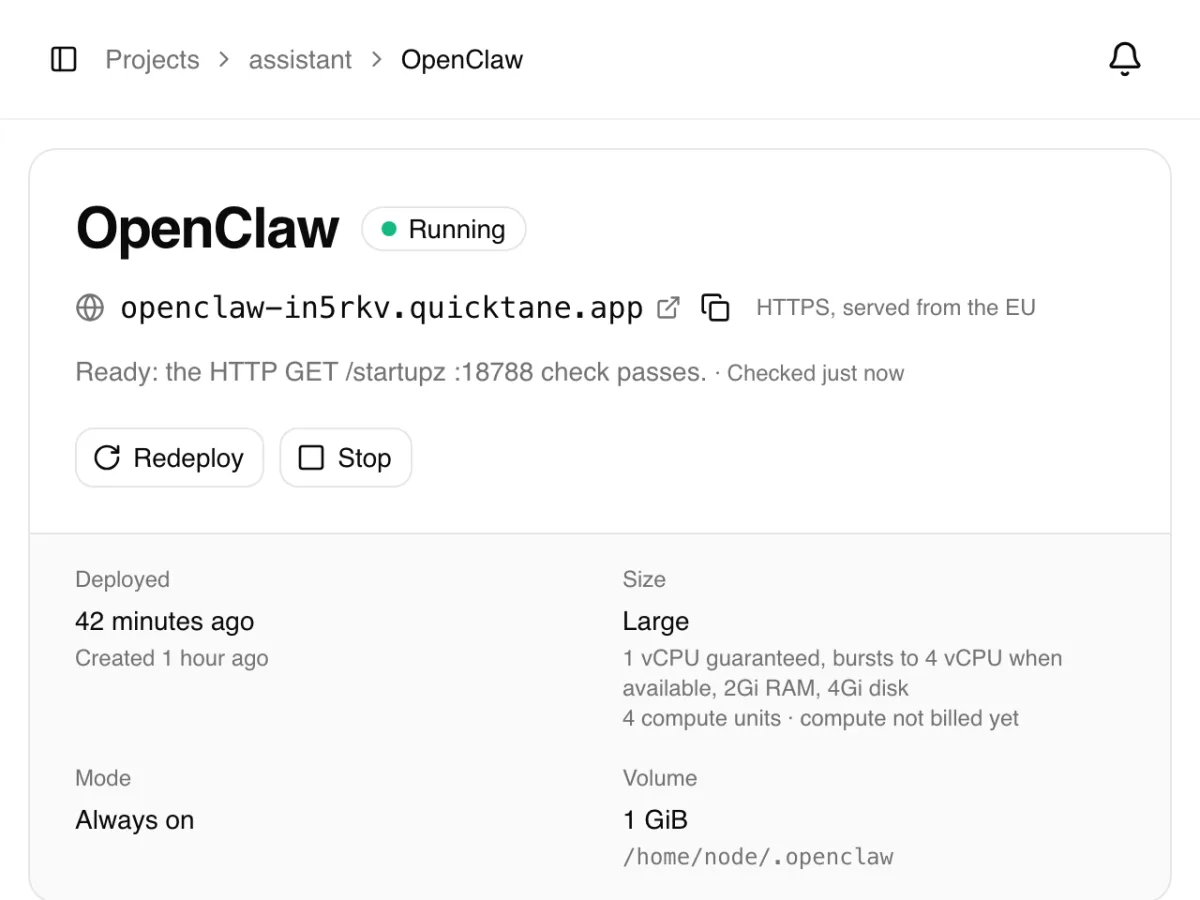
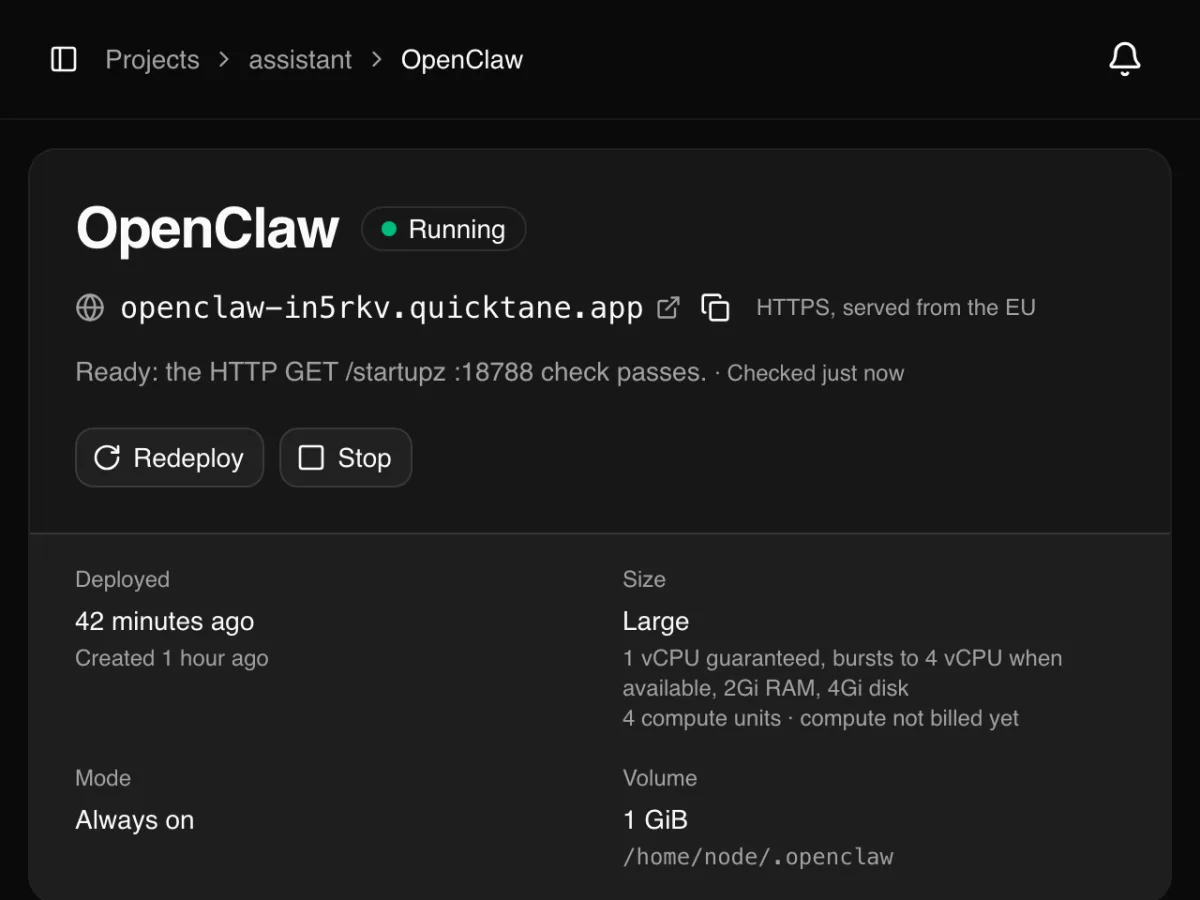
01 · How it works
Four steps to your own OpenClaw.
-
01
Pick the OpenClaw template
Sign up, pick a plan and the OpenClaw template. The image, port, volume, health check and a fresh gateway token are filled in, and you see the price before you create.
-
02
Create the service
Copy OPENCLAW_GATEWAY_TOKEN first: the dashboard never shows env values again. The first start takes a few minutes.
-
03
Open the Control UI
Once it is running, open the URL and sign in with the token. Your URL is already allowed as the Control UI origin, so there is nothing to configure first.
-
04
Approve your browser
Each new browser is approved once from the service's console (devices list, then devices approve). Then add your model provider key.
02 · What's included
Everything a self-hosted OpenClaw needs.
The template runs ghcr.io/openclaw/openclaw:2026.11.3, the OpenClaw project's own image, started behind a small QuickTane relay that checks every request.
-
Your own HTTPS URL
A public HTTPS address on our domain for the Control UI, with the certificate handled for you and the URL already allowed as its origin.
-
Gateway token generated
A random 32-character OPENCLAW_GATEWAY_TOKEN; every client must present it. You can copy it before you create.
-
A forward guard in front
A small relay drops forwarded headers and refuses localhost Host and Origin, so every browser signs in with the token and is approved once.
-
Volume with nightly backups
OpenClaw keeps its state in /home/node/.openclaw on a persistent volume. Nightly backups, the last 7 kept.
-
Health check
The URL sends traffic to OpenClaw only once its gateway reports it has started (/startupz).
-
Logs and console in the browser
Live logs, a shell for the OpenClaw CLI in the running container, and CPU and memory graphs.
03 · Good to know
Before you deploy.
What to expect, so nothing surprises you. More in the templates docs.
-
The first start takes a few minutes
OpenClaw prepares its state on the first start. The URL answers once the gateway reports it has started.
-
Bring your own model keys
Add your model provider key (OpenAI, Anthropic, etc.) as an env variable, e.g. OPENAI_API_KEY or ANTHROPIC_API_KEY. We never set one for you.
-
Your own instance, under the MIT license
You run your own OpenClaw instance under the project's MIT license. We host the container; we don't operate OpenClaw for you.
-
Keep the token secret
The gateway token grants full operator access, and the agent can run commands inside the service. Give it only the keys and channels it needs.
-
Chat channels only? Make it internal
If you use only chat channels (Telegram, Discord …), switch the service to internal so the gateway has no public URL.
-
Upgrading = deploying a newer tag
The template pins a dated OpenClaw release. To upgrade, deploy a newer tag of the image; your state stays on the volume.
04 · Pricing
A flat price per size.
Compute is billed per hour the service runs; OpenClaw runs always-on, so a month is 730 hours. No charges for executions, requests or backups. Prices in euros, excl. VAT.
Large
Template default€16 / month
1 vCPU guaranteed (bursts to 4 vCPU when available) · 2 GiB
The OpenClaw project recommends 2 GB of memory, so Large is the smallest size the template allows. Busy agents run smoother on XL.
On Hobby there is no base fee: you pay only for the compute your services run. The 1 GiB volume fits in the storage your plan includes. All plans and sizes
05 · Compare
Or run it yourself on a VPS?
Both run the same OpenClaw. The difference is who runs the server around it.
-
Setup
- QuickTane
- Pick the template, create, open the URL
- Your VPS
- Install Docker, a reverse proxy and TLS, write the compose file
-
HTTPS
- QuickTane
- Included
- Your VPS
- You set up and renew certificates
-
Gateway token
- QuickTane
- Generated for you
- Your VPS
- You generate and configure it
-
Backups
- QuickTane
- Nightly volume backups, 7 kept
- Your VPS
- You script and store them
-
Server updates and security
- QuickTane
- We patch and run the servers
- Your VPS
- You patch the OS and Docker
-
Logs and shell
- QuickTane
- In the browser
- Your VPS
- SSH
-
Full control of the machine
- QuickTane
- No — a container with fixed CPU and memory
- Your VPS
- Yes — root on your own server
Is QuickTane part of the OpenClaw project?
No. QuickTane is a container host. You deploy the OpenClaw project's published image as your own instance, under its MIT license, on our servers. OpenClaw is a trademark of its owners; QuickTane is not affiliated with the OpenClaw project.
Which AI models can I use?
Whichever your OpenClaw supports with your own keys: add the provider key (e.g. OPENAI_API_KEY or ANTHROPIC_API_KEY) as an env variable of the service. Model usage is billed by your provider, not by us.
Who can reach my OpenClaw?
Anyone can load the URL, but every client must present the gateway token, and each new browser must also be approved once from the console. The token grants full operator access, so keep it secret; if you only use chat channels, make the service internal.
How do backups work?
The volume with OpenClaw's state is backed up nightly to separate storage in the EU, and the last 7 backups are kept. They are a disaster-recovery measure for the platform, not a restore-on-request service.
How do I upgrade OpenClaw?
OpenClaw publishes dated releases and the template pins one. Deploy a newer tag of the image to the service; the state on the volume stays. Read the release notes first.
Where is my data?
In the EU: OpenClaw's state lives on your service's volume on our servers, and the backups in a separate EU location. Prompts go to the model providers whose keys you add.
$ ghcr.io/openclaw/openclaw:2026.11.3
Your OpenClaw, live in the EU in minutes.
Sign up, pick the OpenClaw template, open your URL. You see the price before you create the service.